
Mechanic Computer Hardware
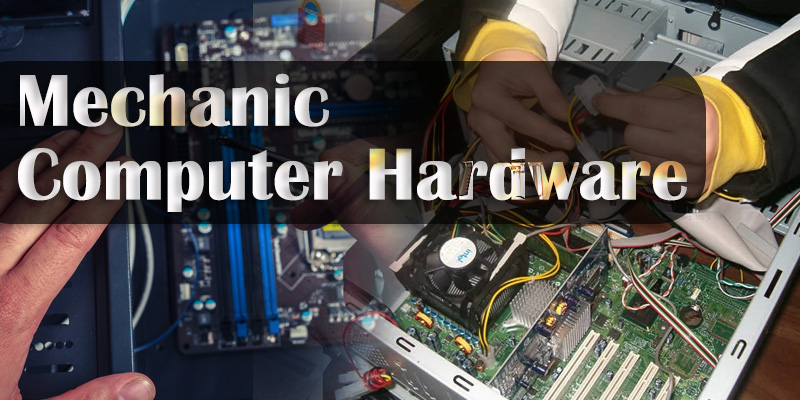
ITI trade Mechanic Computer Hardware is powered by NCVT. ITI trade Mechanic Computer Hardware is a job oriented trade ITI trade Mechanic Computer Hardware is suitable for government job and private job. This ITI trade Mechanic Computer Hardware is very powerful for self-empowerment. This ITI trade Mechanic Computer Hardware is perfectly design to fulfill industrial requirement of Indian Industries as well as International industries.
JOB ROLE
Brief description of Job roles of Computer and Peripherals Hardware Repair and Maintenance Mechanic
- Install, maintain and repair computer peripheral or hardware components
- Troubleshoot different computer issues
- Maintain system configuration and operating system
- Determine and installing appropriate security measures
- Install & Configure basic computer networks
- Provide technical support on-site or via phone or email
- Install, configure and maintain common end user application software. Assist to train
- end users.
- Troubleshoot software and hardware problems related to Internet applications.
LEARNING OUTCOME
The following are minimum broad Common Occupational Skills/ Generic Learning Outcome after completion of the Computer and Peripherals Hardware Repair and Maintenance Mechanic course of 01 year and 3 months duration under ATS.
Block I:-
- 1. Recognize & comply safe working practices, environment regulation and housekeeping.
- 2. Understand, explain different mathematical calculation & science in the field of study including basic electrical and apply in day to day work.[Different mathematical calculation & science-, Algebra, Power transmission, Pressure]
- 3. Interpret specifications, different engineering drawing and apply for different application in the field of work. [Different engineering drawing- Assembly drawing, Sectional views, Estimation of material, Electrical & electronic symbol]
- 4. Explain the concept in productivity, quality tools and labour welfare legislation and apply such in day to day work to improve productivity & quality.
- 5. Explain energy conservation, global warming and pollution and contribute in day to day work by optimally using available resources.
- 6. Explain personnel finance, entrepreneurship and manage/organize related task in day to day work for personal & societal growth.
- 7. Plan and organize the work related to the occupation.
SPECIFIC LEARNING OUTCOME
- Practice the shop floor processing of the concerned industry including safety precautions regarding operation of different tools and equipments, occupational hazards and safety measures related to the trade. Practice the environment management system to prevent environment pollution.
- Prepare history Sheet of different tools and equipments
- Identify Processor chips and handling procedure. Identify I/O and memory chips on Microprocessor kit. Read and load memory locations. Practice assembly language programming. Carry out interfacing to microprocessors. Work on microcontroller, architecture, types and applications.
- Identify the PC and its various vital components. List out various components of ROM and DOS software. Explain Embedded systems. Describe the AVR (Advantages, philosophy, architecture)
- Identify ports of a PC. Practice to Connect and Disconnect the I/O devices to PC. Check system configuration and specifications. Check connectivity of devices. Identify IRQ and DMA settings. Modify IRQ settings. Identify device drivers and location. Disable/Uninstall and enable/install devices. Practice to Solder and De-Solder Measure voltage Different Circuits
- Identify ports of a PC. Practice to Connect and Disconnect the I/O devices to PC. Check system configuration and specifications. Check connectivity of devices. Identify IRQ and DMA settings. Modify IRQ settings. Identify device drivers and location. Disable/Uninstall and enable/install devices. Practice to Solder and De-Solder Measure voltage Different Circuits
- Identify ports of a PC. Practice to Connect and Disconnect the I/O devices to PC. Check system configuration and specifications. Check connectivity of devices. Identify IRQ and DMA settings. Modify IRQ settings. Identify device drivers and location. Disable/Uninstall and enable/install devices. Practice to Solder and De-Solder Measure voltage Different Circuits
- Install CD Players and CD writers. Burn different types of CD using writer. Install DVD players and DVD writers. Install Combo drive and using writers. Troubleshoot and Repair CD and DVD
- Identify different types of motherboard form factors and specifications. Identify components on a motherboard. Identify different types of buses and raisers. Identify Processor, form factor and specifications. Identify jumpers on the motherboard and functions. Identify RAM slot, type, size, expandability. Identify CMOS capacity. Lithium battery.
- Identify the type of HDD. Identify specification of HDD. Practice maintenance of HDD. Partition IDE/ATA Drives, SCSI drives. Format IDE/ATA drives, SCSI drives. Practice Jumper settings. Install and test Pen drives/Thumb drives. Test SMPS, Half wave, Full wave & Bridge rectifiers
- Repair and Maintain different makes and types of monitors.
- Repair and Maintain different types of printers. Repair and Maintain different types of Scanner (Photo & Bar Code Scanner)
- Work with Laptop/notebook computers. Practice the disassembling and reassembling procedures. Replace processor. Replace memory. Replace add-in cards. Troubleshoot and repair/replace battery/mains adaptor.
- List the features of micro controller boards. Configure ports and control their status, interrupts and timers. Compare Polling vs. Interrupt driven approaches
- Practice Supported communication protocols UART (RS-232) I2C SPI
- Explain Real time system concepts (OS vs. RTOS). Describe the need for an RTOS/scheduler. Identify RTOS components, Target RTOS (uC/OS-II) kernel architecture.
- Troubleshoot and rectify the faults of finished product. Work with the latest technology adapted in the industry at the time of training
- Install different device drivers
Install different Application Software
Practice to Run All Dos Command (Internal and External Dos Command)
Practice taking Data Backup
Install application Software : Photoshop 7.0, Page Maker 6.5, CorelDraw
Install CD-DVD Burning Software like: Nero 7.0 & Power ISO 4.0
Install Tally 7.2 and Tally ERP 9.0 and Tack Data Backup
Install and Troubleshoot Different types of Antivirus Software
Install Dual Operating System like: Windows XP and Linux
Install Dual Operating System using VM Ware
Run All Types of Network Troubleshooting Command
Learning outcomes are reflection of total competencies of a trainee and assessment will be carried out as per assessment criteria.

| Workshop Calculation Semester 1 Jan 2018 |
| Workshop Calculation & Science Sem 2 Jan 2018 |
| Workshop Calculation Semester 3 July 2018 |
| Workshop Calculation Semester 3 Jan 2018 |

| Engg Drawing Semester 1 July 2017 |
| Engg Drawing Semester 4 July 2018 |
| Engg Drawing Semester 4 July 2017 |
| Engg Drawing Semester 4 January 2018 |
| Engg Drawing Semester 3 July 2018 |

Employability Skills Work Book
- AI को समझना
- AI कैसे काम करता है?
- AI क्या कर सकता है?
- AI के प्रकार
- AI से जुड़े करियर के बारे में जानना
- AI के साथ सीखना
- AI का ज़िम्मेदारी से इस्तेमाल
- AI क्या है?
| आईटीआई एम्प्लॉयबिलिटी स्किल्स 2019 - प्रश्न पत्र सेट 23 |
| आईटीआई एम्प्लॉयबिलिटी स्किल्स 2019 - प्रश्न पत्र सेट 24 |
| आईटीआई एम्प्लॉयबिलिटी स्किल्स 2019 - प्रश्न पत्र सेट 25 |
